Shopping Cart
Please login to view your cart
Login
Please login to view your cart
Login
What if some of the phone advice you follow every day is wrong?
You may avoid charging your phone overnight, close every app before locking your screen, or download storage-cleaning apps because someone told you they would make your smartphone faster.
But how much of this advice is actually true?
Smartphones have become an essential part of everyday life, helping us work, communicate, shop, navigate, and capture memories. Yet, despite using them for hours every day, many of us still believe outdated information about battery health, charging habits, storage, and performance.
The truth is that some popular smartphone tips are based on older technology, while others misunderstand how modern iPhones and Android devices work.
Let's separate fact from fiction and uncover seven smartphone myths you should stop believing.
Myth 1: You Must Let Your Battery Drop to 0% Before Charging
The myth: Charging your phone before the battery reaches 0% damages the battery or reduces its lifespan.
The truth: Modern smartphones use lithium-ion batteries, which do not need to be completely discharged before recharging. In fact, repeatedly allowing the battery to drain to 0% can contribute to battery wear over time.
For everyday use, you can recharge your phone whenever it is convenient. You do not need to wait until the low-battery warning appears.
If your device offers an optimised charging feature or a battery charge limit, consider enabling it. Keeping your phone away from excessive heat and avoiding frequent deep discharges can help preserve battery health.
Smartphone tip: Instead of waiting for your battery to reach 0%, recharge it when convenient and follow your device manufacturer's battery-care recommendations.
Myth 2: Charging Your Phone Overnight Always Damages the Battery
The myth: Leaving your smartphone connected to a charger overnight will overcharge the battery and ruin it.
The truth: Modern smartphones have charging-management systems that regulate charging when the battery reaches its target level. Your phone does not simply continue charging uncontrollably all night.
However, battery ageing is influenced by several factors, including temperature, charging patterns, and how long the battery spends at a high charge level. Keeping a phone hot while charging can be particularly harmful.
Many devices offer features such as Optimised Battery Charging, Adaptive Charging, or charging limits to help manage battery ageing.
Smartphone tip: Use a compatible, quality charger, avoid covering your phone with bedding while it charges, and enable the battery-optimisation features available on your device.
Myth 3: Closing Every App Makes Your Phone Faster
The myth: You should regularly swipe away every open app to improve your smartphone's speed and save battery.
The truth: Modern iOS and Android systems manage background applications and system resources automatically. An app appearing in the recent-apps screen does not necessarily mean it is actively consuming significant processing power or battery.
Repeatedly closing and reopening apps can sometimes use more resources than allowing the operating system to manage them.
There are exceptions. An app that freezes, behaves incorrectly, or continues using excessive battery may need to be closed or restarted.
Smartphone tip: If your phone feels slow, check available storage, install relevant software updates, review battery usage, and restart the device if necessary. Close individual apps when they are malfunctioning rather than clearing everything constantly.
Myth 4: Storage-Cleaner Apps Always Make Your Phone Faster
The myth: Installing a cleaner app will automatically remove unnecessary files, speed up your phone, and improve battery life.
The truth: Some storage-management tools can help identify large files, duplicate photos, downloads, or unused applications. However, many phones already include built-in tools for managing storage.
Clearing temporary files can occasionally help with a specific problem, but repeatedly clearing caches does not guarantee better performance. Apps may need to recreate those files later.
Be cautious with unfamiliar cleaning apps that request extensive permissions, display aggressive advertisements, or promise unrealistic performance improvements.
Smartphone tip: Start with your phone's built-in storage settings. Review large videos, duplicate images, downloads, and unused applications before installing an additional cleaning tool.
On iPhone, explore Settings → General → iPhone Storage. On Android, the menu varies by manufacturer, but you can usually find storage information under Settings → Storage.
Myth 5: Fast Charging Always Damages Your Battery
The myth: Using a fast charger will inevitably damage your smartphone battery, so you should always use a slow charger.
The truth: Fast charging is designed to work within the limits supported by your phone and compatible charging equipment. The device manages charging power according to factors such as battery level, temperature, and charging protocol.
Heat is an important consideration. Fast charging can generate more heat under some conditions, and prolonged exposure to high temperatures can accelerate battery ageing.
A charger with a higher advertised wattage also does not automatically force that full power into your phone. Actual charging speed depends on compatibility between the charger, cable, and device.
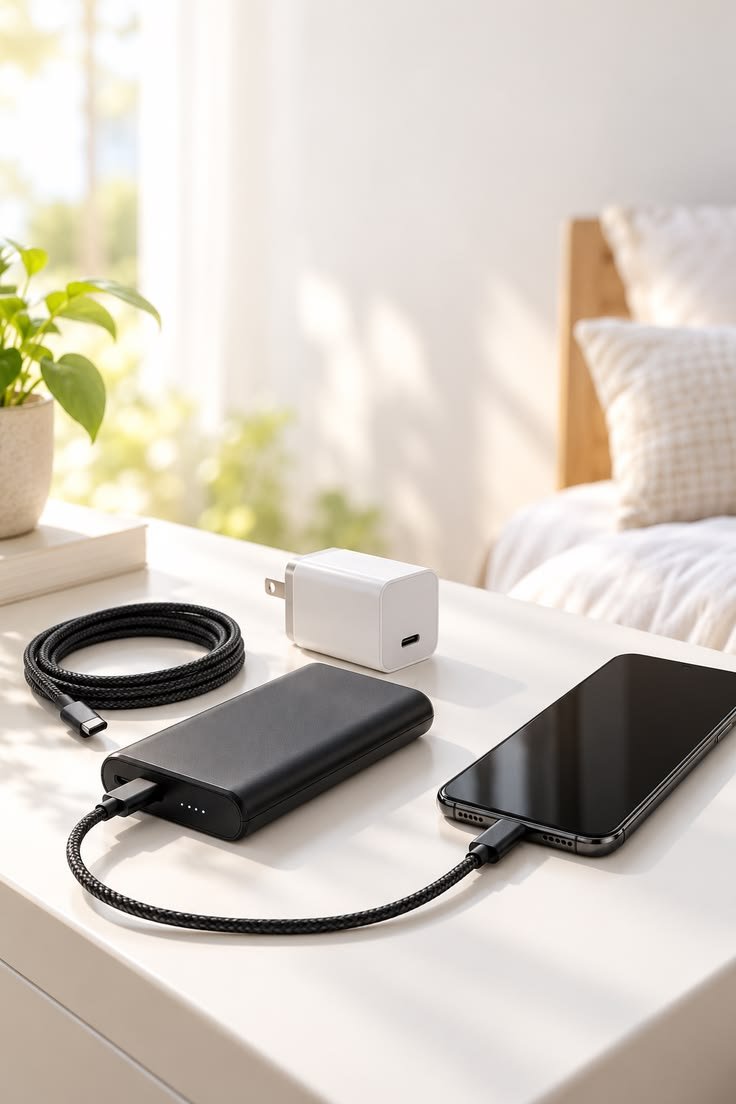
Smartphone tip: Choose a compatible charger and cable that support your phone's charging standards. Avoid charging in direct sunlight or other hot environments, particularly when using demanding applications at the same time.
Myth 6: A Higher-Wattage Charger Always Charges Your Phone Faster
The myth: If a 100W charger is more powerful than a 25W charger, it will always charge your phone faster.
The truth: Your smartphone determines how much power it can accept. If your device supports a maximum charging rate below the charger's advertised output, it will not necessarily charge any faster with the more powerful adapter.
Charging speed can also change as the battery fills. Many smartphones reduce charging power at higher battery levels to manage temperature and protect battery longevity.
The cable and charging protocol matter, too. Not every USB-C cable supports every charging capability, and not all charging technologies are interchangeable.
Smartphone tip: Check your phone's supported charging specifications before buying an adapter. A compatible charger with the right power delivery can be more useful than choosing one based on wattage alone.
Myth 7: More Free Storage Automatically Means Better Battery Life
The myth: Keeping as much storage free as possible will automatically make your phone faster and extend its battery life.
The truth: Storage capacity and battery life are different things.
When your phone is nearly full, you may experience difficulties downloading updates, saving photos, installing applications, or allowing apps to function properly. Freeing up space can help resolve these issues.
However, removing files does not automatically improve battery life. Battery consumption depends on factors such as screen brightness, mobile signal strength, app activity, location services, and background processes.
Smartphone tip: Maintain enough free space for normal operation and software updates, but focus on actual battery-draining activities when your goal is to extend battery life.
Review your battery-usage settings to identify applications that consume more power than expected. Reducing unnecessary background activity or adjusting screen brightness may help more than deleting files indiscriminately.
Bonus: Does Using Your Phone While Charging Ruin the Battery?
Using your phone while charging does not automatically damage the battery. However, demanding activities such as gaming, video recording, or intensive navigation can increase heat generation.
If your device becomes unusually hot, pause demanding tasks and let it cool naturally. Avoid placing it in a refrigerator or using other extreme cooling methods.
For everyday messaging, browsing, and calls, normal use while charging is generally fine when the phone and charging equipment are functioning properly.
How to Keep Your Smartphone Battery Healthy: 5 Practical Habits
Now that we have separated smartphone myths from facts, here are five habits worth following:
These small adjustments can help you use your smartphone more confidently without spending money on unnecessary accessories or applications.
Final Thoughts: Is Your Smartphone Really the Problem?
Sometimes, the biggest problem is not your phone but the advice you follow.
Modern smartphones already include sophisticated systems for managing charging, memory, background applications, and performance. Understanding how these features work can help you avoid unnecessary habits and make better decisions about caring for your device.
Whether you use an iPhone or an Android smartphone, focus on proven practices: manage heat, choose compatible charging accessories, maintain sufficient storage, and pay attention to your device's own battery-health recommendations.
At Glitters Mobile & Accessories Trading, we believe that understanding your technology helps you make smarter everyday choices. From charging accessories and protective cases to other mobile essentials, choosing products that suit your device and your routine can make a meaningful difference to your daily experience.
Explore mobile accessories and smartphone essentials at www.glittersuae.com.
Technology That Makes Your Life Easier.
Frequently Asked Questions (FAQs)
1. Is it bad to charge my phone before it reaches 20%?
No. You can charge a modern lithium-ion smartphone battery whenever convenient. You do not need to wait for a specific percentage, and frequent deep discharges are best avoided.
2. Should I charge my phone to 100% every day?
You can charge your phone to 100% when you need the full battery capacity. If your device offers an optimised charging feature or charge limit, using it may help reduce long-term battery ageing.
3. Does fast charging reduce battery life?
Fast charging does not automatically damage a battery. Heat and charging conditions influence battery ageing, so use compatible equipment and avoid excessive temperatures.
4. Do storage-cleaner apps really work?
Some tools help identify unnecessary files and manage storage, but they do not guarantee faster performance or better battery life. Built-in storage tools are a sensible starting point.
5. Why is my phone battery draining so quickly?
Common causes include high screen brightness, weak mobile signal, demanding applications, location services, background activity, extreme temperatures, and battery ageing. Reviewing your battery-usage settings can help identify the cause.
6. Is it safe to use my phone while charging?
Generally, yes. Normal use is fine when you use compatible charging equipment. Avoid demanding tasks if they cause the phone to become excessively hot.
Note: Smartphone features and settings vary by model, software version, and manufacturer. Always consult the guidance for your specific device.